

All clear. Every stop.
ClearStop: all-in-one pool service software.
CRM, routes, and accounting in one platform. Replace your QuickBooks subscription.

Today's route — some stops Done, the rest ready to Log Visit.
Drive less
Build weekly routes, see every stop on a live map, and drag unrouted pools onto a tech’s route.
See how routing works →Save the office hours
Checklists, photos, and readings land in one place. No more chasing clipboards at 6pm.
Get paid faster
Invoice from completed stops. Homeowners see their Estimates and request service.
Keep the water clear
Log chemistry at the stop and prove the work with photos.
Get off paper.
Stop running the route on clipboards and yellow pads. Stops, notes, checklists, and photos live in ClearStop — on the truck and in the office — so nothing walks off in a wet notebook.
Dashboard and reports for the office.
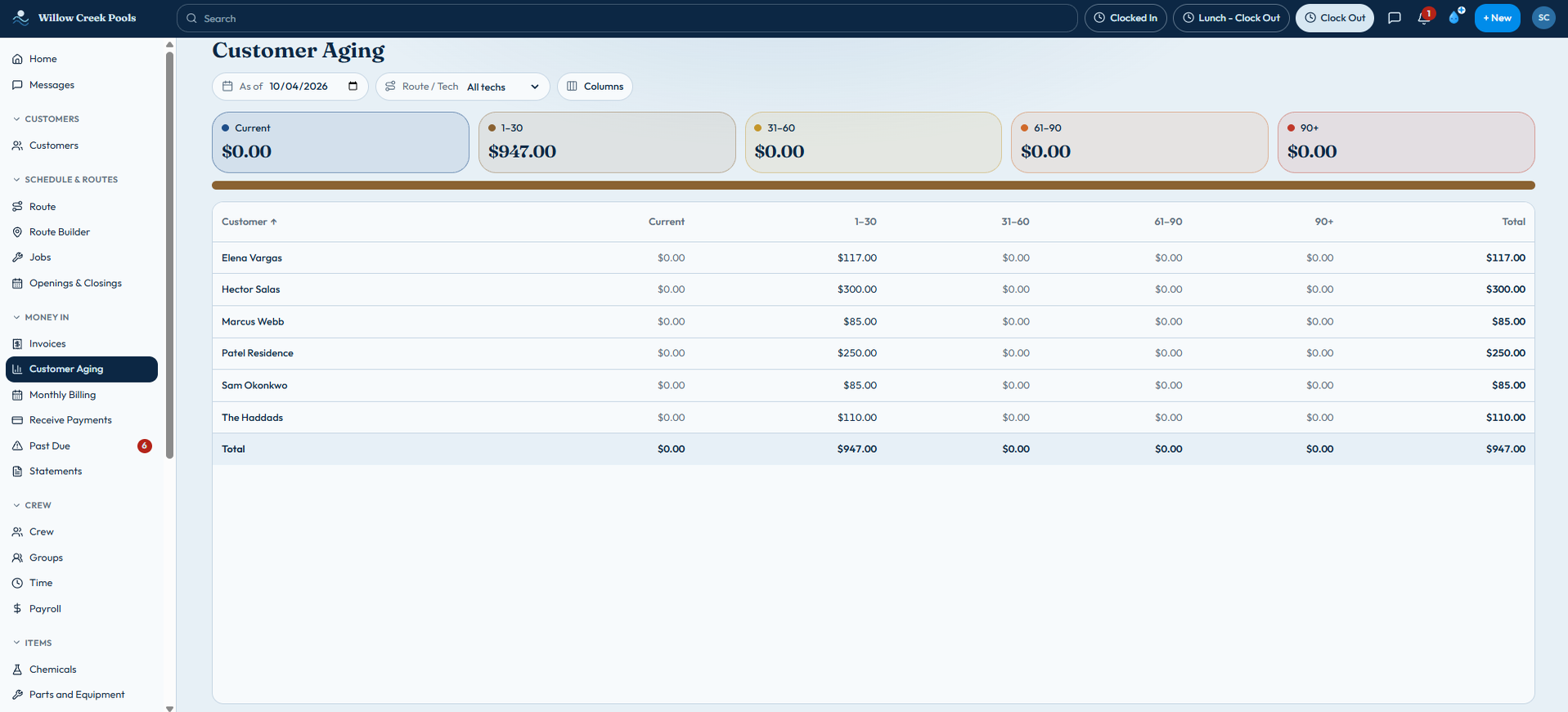
The office dashboard shows overall margin. The Reports library includes Customer Aging, Payments Received, Sales by Service and a Sales Tax Report, and exports to CSV or Excel.
ClearStop remembers your chemical seasons
After you log a season, we surface what you burned the same weeks last year — so you can plan stock and cash, not guess.
QuickBooks Online sync
Coming soonComing soon: a one-way sync that sends customers, invoices and payments from ClearStop to QuickBooks Online.
Why ClearStop
The office, on a desktop.
Home · Today's Workapp.clearstop.app
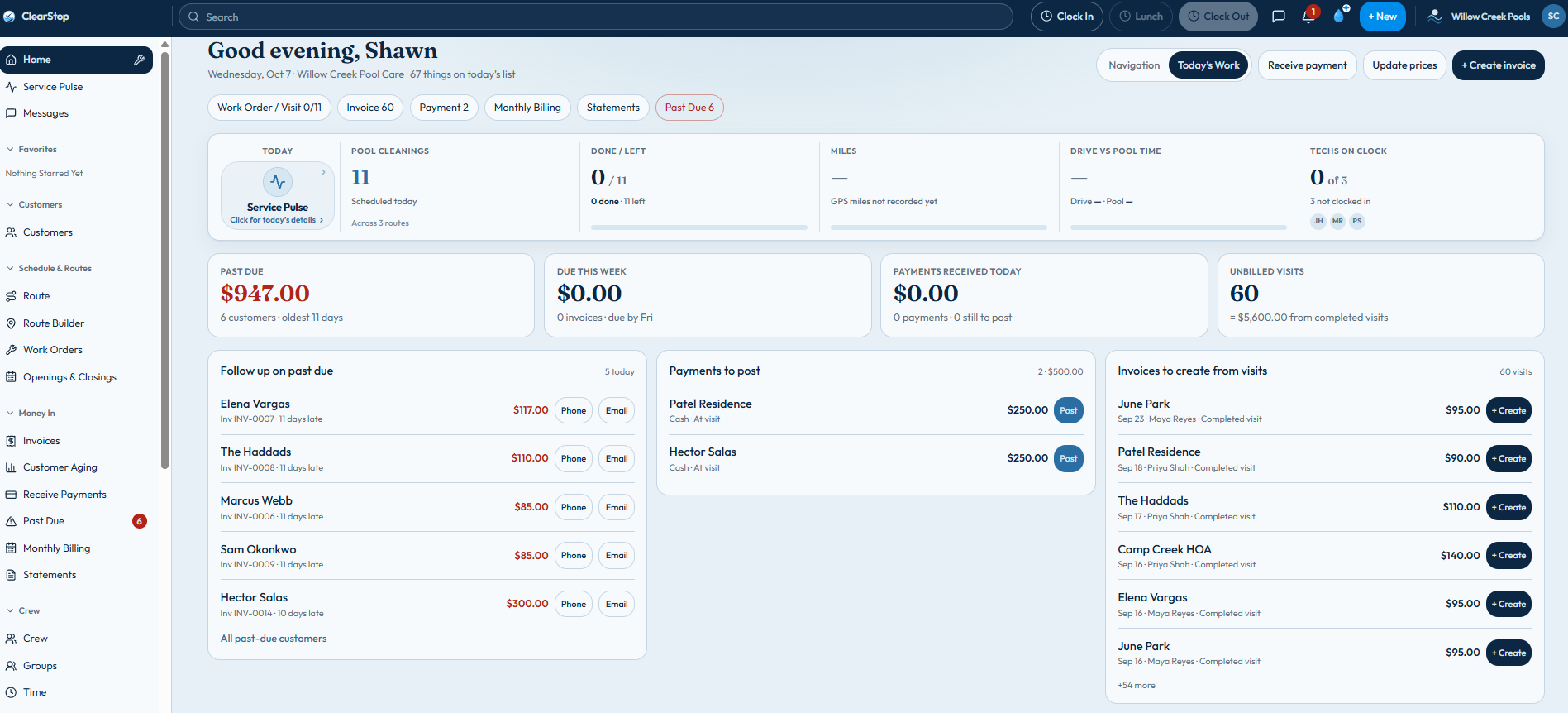
Past Dueapp.clearstop.app
Billing
Invoice from the stop. Get paid without the chase.
- Prepare Invoices on desktop turns completed visits into draft invoices, one at a time or in a batch — nothing sends until you do
- Monthly billing and customer statements
- Record payments with Receive Payment, including cash and checks
- Homeowners log in to see their Estimates and request service, openings and closings
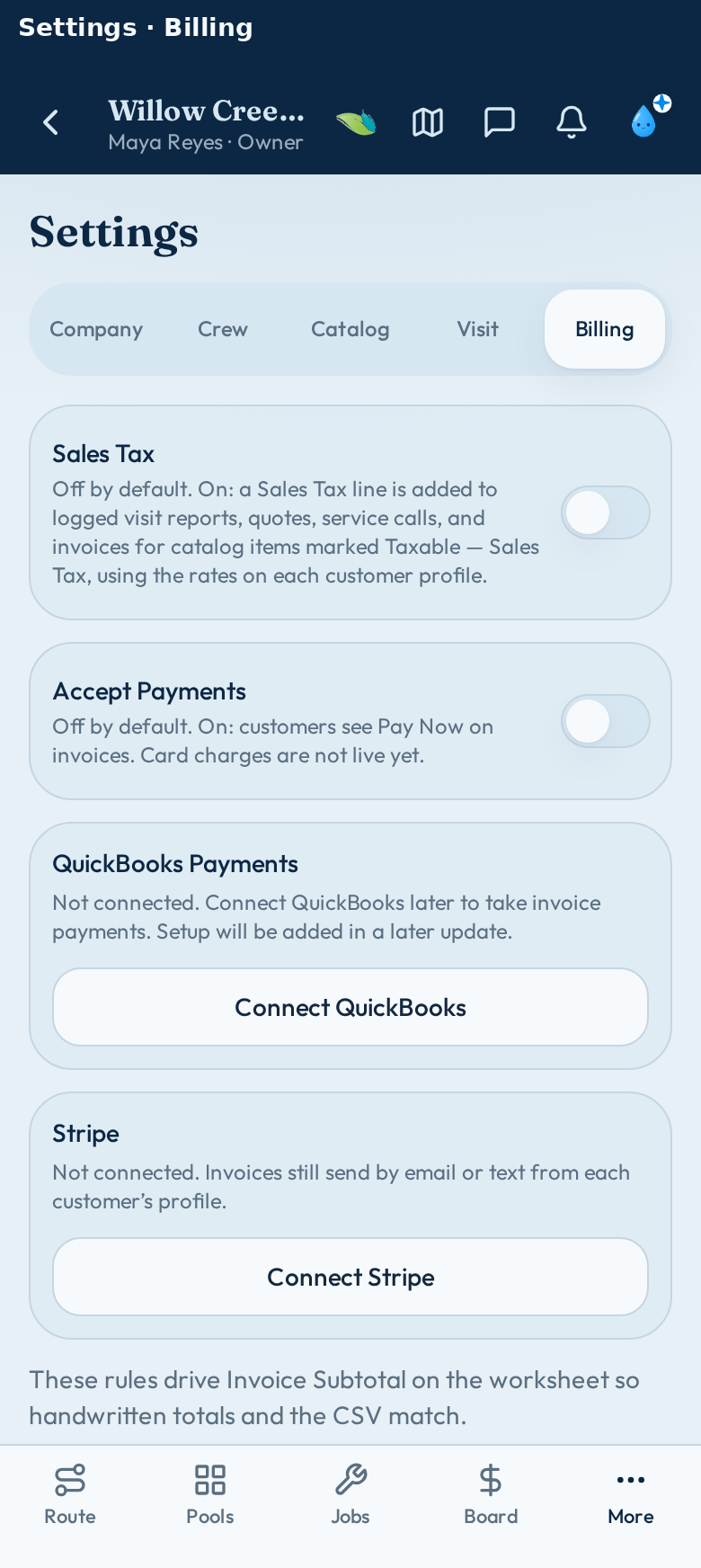
Save the invoice or email the customer from the stop.
Add-on
ClearStop Accounting add-on
Keep your books in ClearStop. No QuickBooks required. Unlimited accounting users: your office gets full access, and techs stay off unless you turn them on.
- General ledger, journal entries, and trial balance
- Expenses, checks, credit cards, and reconciliation
- Invoices and payments post to your books automatically
- Profit & loss and balance sheet reports
+$49/mo
Unlimited accounting users
Desktop only
Add-on
ClearStop Construction add-on
Take a new pool from first Estimate to finished build. Track jobs and phases, and give your customer a progress page to follow along.
See ClearStop Construction →+$79/mo
Three moves. That’s the week.
01
Load the route
Customers, gates, dogs, rates, and pool notes — one record per stop. Gates, dogs, and rates on the phone before the gate.
02
Work the stop
Techs check in, run the list, log readings, shoot photos, move on. No signal? Route Ready saves the day’s route on the phone and syncs when they’re back in range.
03
Close the books
Reports and invoices go out, and homeowners see them in their portal.
Questions
Who is ClearStop for?+–
Pool and spa service companies of any size — from a solo tech with a tight route to operators running multiple crews.
How does pricing work?+–
The first 10 companies lock Founders at $99/mo with the full product and 400 pools included. After that: Basic $49, Pro $99, Pro+ $179, Enterprise: custom pricing. Billable pools are unique stops with a completed visit that month.
Do techs need cell service at every pool?+–
No. Run Route Ready while you have a signal, and today’s route, stops, Log Visit and pool profiles are saved on the phone. Techs log visits with no signal, and everything syncs when they’re back in range.
Can homeowners log in?+–
Yes. Homeowners get a portal to see their Estimates and service history, search their visits, invoices and payments, reach the person your shop picks with one tap, and request service, openings and closings. When a home sells, the pool can be transferred to the new owner from the portal. That’s the same Log in button in the header — we route people to the right place.
Does ClearStop remember last year’s chemicals?+–
After you log a season, we surface what you burned the same weeks last year — so you can plan stock and cash, not guess.
Does ClearStop have pool calculators?+–
Yes. More › Tools has pool calculators, including Pool Volume, Water Balance (LSI), Turnover and Flow. Save a result to a customer and find it later in that customer’s Calculations history. Results are labeled Estimates.
Does ClearStop help with Oklahoma sales tax?+–
Yes. Set up your tax jurisdictions and exemptions, and the Sales Tax Report lays out your Oklahoma sales tax return (Forms STS-20002 and STS-20021), with drilldown into each number. You still file the return yourself. Sales tax is in Pro, Pro+ and Founders.
How does ClearStop protect logins?+–
Two-step login is required for every shop account, using an authenticator app and recovery codes. A trusted browser can skip the code for 30 days, and sign-ins are recorded in the Audit Log.

All clear. Every stop.
Ready to make every stop a clear one?
First 10 companies lock $99/mo. Tell us your route size on the waitlist.